


Nginx Kurulumu ve Reverse Proxy Yapılandırma Rehberi
Nginx'i sıfırdan kur, virtual host yapılandır, Node.js / PHP-FPM için reverse proxy oluştur. Performans ve güvenlik ayarları.
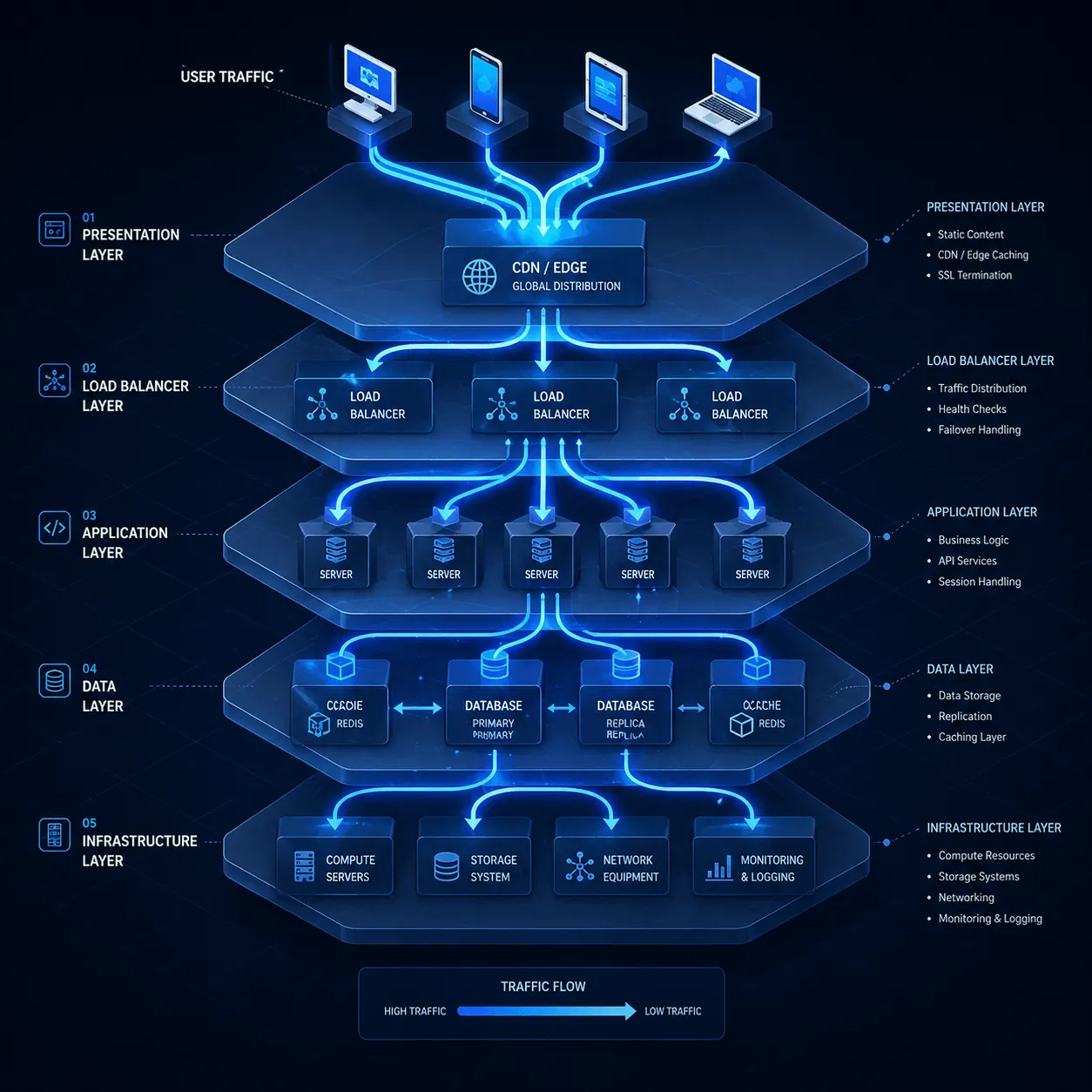
Apache yerine Nginx kullanıyorsan ya da Node.js/Python/Docker uygulamanın önüne reverse proxy koymak istiyorsan doğru rehbere geldin. Nginx, modern web sunucularının yaklaşık 35%‘inde kullanılan, asenkron mimarisi sayesinde Apache’den çok daha az kaynak tüketen bir yazılım. Bu rehberde kurulum, vhost ve reverse proxy yapılandırmasını adım adım anlatıyoruz.
Önkoşullar
- Ubuntu 22.04 / Debian 12 (AlmaLinux için
dnfkullan) - Root erişimi
- 80, 443 portlarının açık olması (UFW yazımız)
1. Nginx kurulumu
sudo apt update
sudo apt install nginx -y
sudo systemctl enable --now nginx
sudo systemctl status nginx
Tarayıcıdan http://vds-ip aç → Nginx default sayfası görmeli.
2. Apache ile çakışma kontrolü
Eğer Apache zaten kuruluysa Nginx başlamaz (port 80 çakışır):
sudo systemctl stop apache2
sudo systemctl disable apache2
Veya Apache’yi 8080’e taşı (advanced).
3. İlk virtual host (siten için)
sudo nano /etc/nginx/sites-available/siten.comserver {
listen 80;
listen [::]:80;
server_name siten.com www.siten.com;
root /var/www/siten.com;
index index.html index.php;
location / {
try_files $uri $uri/ =404;
}
# PHP-FPM (WordPress için)
location ~ \.php$ {
include snippets/fastcgi-php.conf;
fastcgi_pass unix:/var/run/php/php8.3-fpm.sock;
}
# Statik dosyalar uzun cache
location ~* \.(jpg|jpeg|png|gif|ico|css|js|woff2)$ {
expires 30d;
add_header Cache-Control "public, no-transform";
}
access_log /var/log/nginx/siten.com_access.log;
error_log /var/log/nginx/siten.com_error.log;
}Aktif et:
sudo ln -s /etc/nginx/sites-available/siten.com /etc/nginx/sites-enabled/
sudo nginx -t          # Syntax test
sudo systemctl reload nginx
4. Reverse proxy: Node.js / Docker uygulaması önüne
Diyelim Node.js uygulaman 3000 portunda çalışıyor. Nginx’i 80/443’te koyup arkaya proxy yap:
server {
    listen 80;
    server_name app.siten.com;

    location / {
        proxy_pass http://localhost:3000;
        proxy_http_version 1.1;
        proxy_set_header Upgrade $http_upgrade;
        proxy_set_header Connection 'upgrade';
        proxy_set_header Host $host;
        proxy_set_header X-Real-IP $remote_addr;
        proxy_set_header X-Forwarded-For $proxy_add_x_forwarded_for;
        proxy_set_header X-Forwarded-Proto $scheme;
        proxy_cache_bypass $http_upgrade;
    }
}
Avantajları:
- WebSocket desteği (
proxy_http_version 1.1+ Upgrade header) - SSL terminasyon (Let’s Encrypt’i Nginx’te kur, app’in temiz HTTP)
- Statik içerik serve etmek (Node.js’i yormamak için)
5. SSL ekle (Let’s Encrypt)
sudo apt install certbot python3-certbot-nginx -y
sudo certbot --nginx -d siten.com -d www.siten.com
Detaylar: Let’s Encrypt yazımız.
Certbot otomatik olarak vhost’a HTTPS bloğu ekler ve HTTP→HTTPS redirect kurar.
6. Performans tuning
/etc/nginx/nginx.conf:
worker_processes auto;
worker_connections 4096;

# Buffer ayarları
client_body_buffer_size 10K;
client_header_buffer_size 1k;
client_max_body_size 50m;
large_client_header_buffers 4 8k;

# Gzip
gzip on;
gzip_vary on;
gzip_proxied any;
gzip_comp_level 6;
gzip_types text/plain text/css text/xml application/json application/javascript application/xml+rss image/svg+xml;

# Brotli (modülü kuruluysa)
# brotli on;
# brotli_comp_level 6;

# HTTP/2
listen 443 ssl http2;
sudo nginx -t && sudo systemctl reload nginx7. Güvenlik header’ları
add_header X-Frame-Options "SAMEORIGIN" always;
add_header X-Content-Type-Options "nosniff" always;
add_header X-XSS-Protection "1; mode=block" always;
add_header Strict-Transport-Security "max-age=31536000; includeSubDomains" always;
add_header Referrer-Policy "strict-origin-when-cross-origin" always;
Test: https://securityheaders.com/
8. Rate limiting (DDoS koruması)
# nginx.conf http bloğunda
limit_req_zone $binary_remote_addr zone=mylimit:10m rate=10r/s;

# server bloğunda
location /api/ {
    limit_req zone=mylimit burst=20 nodelay;
    proxy_pass http://localhost:3000;
}
DDoS yazımız bu konuyu detaylandırır: DDoS Korunma.
9. Log yönetimi
# Aktif log'u izle
sudo tail -f /var/log/nginx/siten.com_access.log

# En çok hit alan IP'ler
sudo awk '{print $1}' /var/log/nginx/access.log | sort | uniq -c | sort -rn | head -20

# 404'ler
sudo grep " 404 " /var/log/nginx/access.log | tail -20
logrotate Nginx için zaten yapılandırılmış (/etc/logrotate.d/nginx).
Sık karşılaşılan hatalar
- “nginx: [emerg] bind() to 0.0.0.0:80 failed (98: Address already in use)”: Apache çalışıyor → durdur
- “502 Bad Gateway”: Reverse proxy backend down →
systemctl status node-app - “413 Request Entity Too Large”:
client_max_body_sizeartır - “504 Gateway Timeout”:
proxy_read_timeout 300s;ekle - PHP çalışmıyor: PHP-FPM kurulu ve çalışıyor mu?
sudo systemctl status php8.3-fpm
Nginx vs Apache karşılaştırma
| Nginx | Apache | |
|---|---|---|
| Mimari | Asenkron, event-driven | Process-based |
| Kaynak | Daha az RAM/CPU | Daha çok |
| Statik dosya | Çok hızlı | Hızlı |
| .htaccess | ❌ Desteklemez | ✓ |
| Reverse proxy | Native | mod_proxy ile |
| Konfig | sites-available syntax | .conf dosyaları |
WordPress için ikisi de çalışır; yüksek trafik için Nginx daha verimli.
Sonuç
Nginx, modern web stack’in temel taşı. Tek bir VDS’te birden fazla site + reverse proxy + SSL terminasyon yapabilirsin. KavesNET VDS Nginx için optimize.
İlgili: WordPress Manuel Kurulum · Cloudflare CDN
Ähnliche Beiträge
Das könnte Sie auch interessieren.

Die 3-2-1-Backup-Regel: So verlieren Sie Server-Daten nie wieder
Die 3-2-1-Backup-Regel ist der Goldstandard für Server-Backup-Strategien. Wir erläutern Regel, Automation und KavesNETs Backup-Infrastruktur.
Weiterlesen
Site von Plesk zu Plesk migrieren: Migrator-Anleitung
Sites, Mail, DB und DNS in einem Schritt mit Plesk Migrator umziehen. Setup, Testmigration und Cutover.
Weiterlesen
FileZilla: Dateimigration zwischen zwei VDS
Site vom alten zum neuen VDS migrieren: FileZilla über FTP/SFTP, Geschwindigkeitstipps, Berechtigungen und Fehlerbehandlung.
Weiterlesen